

What are the user - friendly features of an X-ray counter?
Nov 04, 2026
Hey there, tech enthusiasts and industry pros! If you're in the market for an X-ray counter, you're in the right place. As a long - standing X-ray counter supplier, I've seen firsthand the crucial role that these devices play in various sectors, from electronics manufacturing to quality control in the medical industry. Today, let's dive into what makes an X-ray counter user - friendly.
1. Intuitive User Interface
One of the top user - friendly features of an X-ray counter is an intuitive user interface. You don't want to spend hours trying to figure out how to operate the machine. A well - designed interface should be as straightforward as possible. Think of it like your smartphone. You pick it up, and you pretty much know how to use it right away.
Most modern X-ray counters come with a touch - screen interface. It's like having a mini - computer right on the machine. You can tap, swipe, and pinch to navigate through different settings and functions. For example, with a simple tap, you can start a new counting session, view previous results, or adjust the X-ray intensity. This touch - screen functionality also reduces the need for a bunch of physical buttons, which can be confusing and prone to wear and tear.
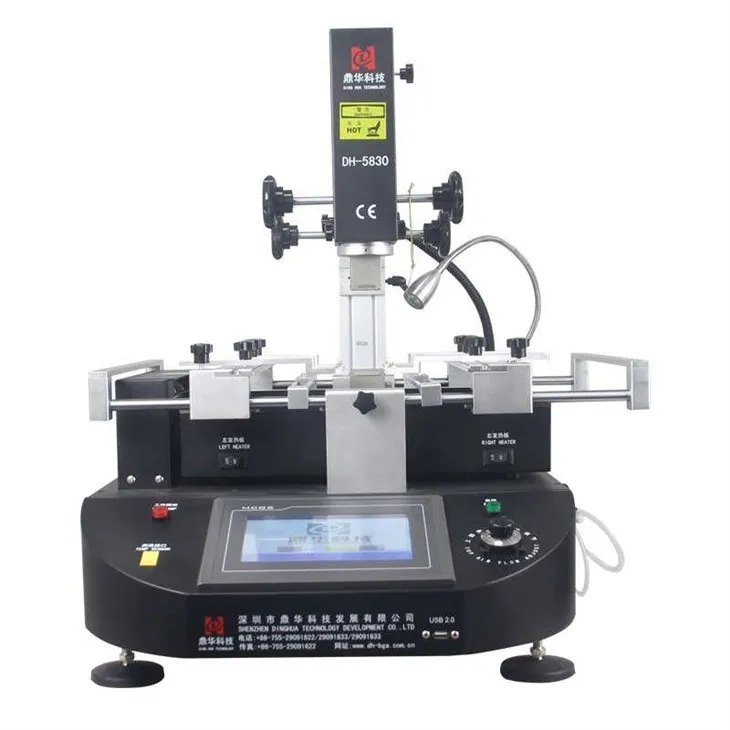
If you're familiar with touch - screen technology, you'll feel right at home. And even if you're not, it won't take you long to get the hang of it. This is a huge advantage, especially in an industrial setting where multiple operators might need to use the machine, and downtime for training should be minimized. You can learn more about user - friendly touch - screen technology in other similar devices on Touch Screen Computer BGA Rework Station.
2. Quick Setup and Calibration
Time is money, right? That's why a user - friendly X-ray counter should have a quick setup and calibration process. When you first unpack the machine, you don't want to be spending days or even hours getting it up and running.
Our X-ray counters are designed with this in mind. They come with step - by - step instructions that are easy to follow. In most cases, you can have the machine set up and calibrated within an hour. This is possible thanks to advanced sensors and pre - configured settings. The sensors can detect the optimal X-ray conditions for different types of samples, and the pre - configured settings ensure that the machine is calibrated accurately from the start.
For example, if you're working with small electronic components, the machine can automatically adjust to the appropriate X-ray level. And if you need to switch to a different type of sample, like metal parts, it can re - calibrate quickly. This flexibility saves you a lot of time and effort, allowing you to focus on your work. Similar time - saving features can be found in Phone Repair PS3 BGA Rework Station , which also emphasizes quick setup for efficient repairs.
3. High - Speed Counting
In a production environment, speed is of the essence. An X-ray counter that can count quickly means you can process more samples in less time. Our X-ray counters are equipped with high - speed counting algorithms that can analyze an X-ray image and provide a count in a matter of seconds.
Whether you're counting tiny pills in a pharmaceutical factory or small electronic chips in an electronics assembly line, the high - speed counting feature ensures that you don't have to wait around for results. This not only increases productivity but also helps in meeting tight deadlines.
Moreover, the high - speed counting doesn't compromise on accuracy. The advanced algorithms are designed to detect and count even the smallest objects with high precision. So, you can be confident that the counts you get are reliable. If you're interested in high - speed processing in related equipment, check out Bga Rework Station Machine, which also focuses on fast and accurate operations.
4. Data Management and Connectivity
In today's digital age, data management and connectivity are essential. A user - friendly X-ray counter should be able to store and manage the counting results effectively. Our X-ray counters come with built - in memory that can store thousands of counting records. You can easily access these records, view them in different formats, and even export them to a computer or other devices.
The connectivity options are also quite extensive. You can connect the X-ray counter to a computer via USB, Ethernet, or Wi - Fi. This allows for seamless data transfer and integration with other software systems. For example, you can export the counting data to an Excel spreadsheet for further analysis or integrate it with your production management software.
This data management and connectivity feature is not only useful for record - keeping but also for quality control and process improvement. You can analyze the data over time to identify trends, detect anomalies, and make informed decisions. Similar data - driven functionalities can be found in Automatic Optical Bga Rework Station, which also emphasizes the importance of data in the manufacturing process.
5. Safety Features
Safety is always a top priority when working with X-ray equipment. A user - friendly X-ray counter should have multiple safety features in place to protect the operator and the environment.
Firstly, our X-ray counters are equipped with lead shielding. This shielding blocks the X - rays from escaping the machine, reducing the risk of radiation exposure. The shielding is designed to meet strict safety standards, so you can be confident that you're using a safe product.
Secondly, there are safety interlocks. These are mechanisms that prevent the X - ray from being emitted if the machine's door is open or if there are any malfunctions. This ensures that the operator doesn't accidentally get exposed to radiation.
Finally, the X-ray counters have warning indicators. These indicators alert the operator if there are any safety issues, such as high radiation levels or a malfunctioning component. This gives the operator time to take appropriate action and avoid any potential hazards. Similar safety considerations are also present in Bag Rework Station For Laptop, which also emphasizes the safety of the operator during the repair process.
6. Maintenance and Support
A user - friendly X-ray counter should be easy to maintain. Our machines are designed with modular components, which makes it easy to replace any parts that might wear out over time. You don't need to be a technical expert to perform basic maintenance tasks like cleaning the X - ray detector or replacing the filter.
In addition to that, we offer comprehensive support. Our team of experts is available to answer any questions you might have, whether it's about the operation of the machine or a technical issue. We also provide regular software updates to ensure that your X - ray counter is always running at its best.
Conclusion
So, there you have it, the user - friendly features of an X-ray counter. An intuitive user interface, quick setup and calibration, high - speed counting, data management and connectivity, safety features, and easy maintenance and support are what make an X-ray counter a great choice for your business.

If you're interested in purchasing an X-ray counter or want to learn more about our products, don't hesitate to get in touch. We're here to help you find the perfect solution for your needs. We look forward to working with you and helping you improve your productivity and quality control.